Logo Animation Examples
Every example below is a real render from a static logo file, not a mockup. The 43 clips are grouped into eight motion types, from 3D rotation to glitch, and a side-by-side test shows which styles keep small text, thin lines, badges and brand colors intact.
- Real renders, no mockups
- Grouped by motion type
- Tested on four kinds of logo
3D rotation logo animations
The mark gains thickness and turns in space: a full 360-degree spin, or a slower orbit on a lit studio floor. Both open on your logo instead of an empty stage and finish facing the camera.
Works well on
- Compact symbols with a clear silhouette
- Logos you want to loop, since the clip starts and ends on the mark
Watch out for
- A long name turns edge-on and vanishes for a moment mid-turn. That is correct perspective, but pick a flatter style if the name is the whole logo.
Spin styles, square framing and seamless loops are covered on the 3D logo animation page.
Full 360 spin
The mark turns a full revolution as a solid, extruded object and lands facing forward.
3D orbit
The mark turns on a lit studio floor, passes edge-on and settles front-facing.
Particle logo animations
Glowing particles, stardust, pixel blocks or glass shards gather and lock into the mark. Your file guides the build as a reference rather than as the first frame, so the render decides when the logo shows up; in most of these clips, it lands partway through.
Works well on
- Bold symbols and solid shapes
- Badges: in the fit test below, curved lettering assembled letter-perfect
Watch out for
- Small text comes in last. On a combo mark, the tagline appeared about two seconds into a four-second clip.
- One-color line logos can come back re-lit. Our dark teal line mark finished as glowing cyan on navy.
Because the logo lands at the end, reveal styles like these are the usual pick for logo intros that open a video.
Particle assembly
A spray of particles arcs around the stage and locks into the mark.
Particles on a flower mark
Sparkle drifts over a five-petal logo, the center swirls, and the flat mark settles.
Stardust swirl
A spiral of glitter spins like a galaxy and condenses into the logo.
Pixel build
Colored pixel blocks burst outward and snap together into the mark.
Glass shatter
Glass shards drift around a white studio, then gather in front of the mark and melt into it.
Liquid and morph logo animations
Liquid glass, molten chrome, ink or smoke flows into the shape of your logo and settles. The mark is re-sculpted on the way in, which is the look people choose it for, and the scene around it can change color before the clip settles.
Works well on
- Rounded, organic marks that read well as a material
- Brands that want a tactile, premium feel
Watch out for
- Letters are unreadable while the liquid moves. On our combo mark, the digits in the tagline warped for a moment before settling.
- The finish can land raised or glassy: the line logo and the badge both ended embossed instead of flat.
Liquid morph
Glass droplets float over black silk, the scene brightens, and the mark flows into place.
Liquid chrome
Molten chrome swirls into a thick, glossy M, then flattens back into the gradient mark.
Ink bloom
Black ink swirls through a tank of water, and the mark emerges from the cloud.
Smoke reveal
Colored smoke rings curl inward and clear to reveal the mark.
Line drawing logo animations
A pencil sketches the outline on a blank surface, or a laser etches it in sparks, then the brand colors fill in. The viewer watches the logo being made one stroke at a time.
Works well on
- Line and monoline logos: in the fit test, line drawing came closest to our line mark
- Logos with lettering: in the fit test, letters were written in stroke order
Watch out for
- The surface can change. Our badge was drawn onto beige paper stock instead of the plain background.
Sketch reveal
A pencil outline appears on a blank page, then the colors flood in.
Laser etch
A glowing beam traces the outline, then fills the shape with the brand colors.
Glitch and hologram logo animations
Glitch snaps the logo in through digital streaks and noise. Hologram shows your logo as a flickering cyan projection before it turns solid. Hologram opens on your logo, while glitch builds it out of the noise.
Works well on
- Tech, gaming and streaming brands
- Detailed marks: fine strokes and curved lettering both held up in the fit test
Watch out for
- The noise is generated texture and can include made-up, code-like characters, which suits a game studio better than a law firm.
Glitch burst
Colored streaks burst out of black, then the mark snaps in and scales down into place.
Hologram
The mark flickers inside a cyan projection glow, then turns solid.
Hologram on a hexagon mark
A translucent cyan projection resolves into the solid hexagon.
Minimal logo animations: light sweeps and shimmer
Nothing is rebuilt. A sweep of light crosses a still logo, or the mark turns polished gold for a moment before returning to its own colors. These are the quiet options for corporate intros, presentation openers and product pages.
Works well on
- Logos with small text: the combo mark here kept its tagline readable after a half-second focus pull
- Brands that should feel calm and expensive rather than loud
Watch out for
- Even quiet styles add a little depth, such as a soft drop shadow under the final lockup.
Cinematic light sweep
Lens glints travel across a still logo and fade out.
Light sweep on a logo with small text
The name and tagline stay readable from half a second in while a flare crosses the mark.
Gold shimmer
The mark turns polished gold under a warm glow, then returns to its own gradient.
Gold shimmer on a lightning bolt
A golden flare turns the bolt into polished metal before it settles back to flat yellow.
Neon, fire and electric logo animations
Neon glow, lightning, flames, frost or a shockwave ring plays around a logo that stays in place. The effect wraps the mark instead of rebuilding it, so the shape holds while the effect runs.
Works well on
- Gaming, esports, music and event brands
- Bold marks that stay legible against a bright glow
Watch out for
- The effect can take over the whole frame for a moment. The cube's neon clip opens on black and only returns to a light background after two seconds.
Neon pulse
A bright neon outline pulses around the mark and fades back.
Neon light speed on a cube mark
Pink and blue light streaks rush past on black, then the scene clears to white.
Electric surge
Lightning arcs crackle out from the mark, then discharge.
Fire ignite
Flames and embers wrap the edges, then burn down to smoke.
Frost freeze
A large snowflake frosts over the mark, then melts away in drips.
Energy shockwave
Rainbow rings ripple outward from a steady logo.
Shockwave on a gem mark
A flash and a soft ring of sparks expand from the gem, then fade.
Bounce, float and impact logo animations
Physical motion: the logo drops in and squashes on landing, slams down in a ring of dust, lifts off a soft shadow, or holds still while confetti bursts around it.
Works well on
- Kids, food, retail and app brands
- Launch, sale and celebration posts
Watch out for
- Squash and stretch flattens the mark for a few frames on purpose. Skip it if your brand guidelines forbid distortion.
- Float is not a flat hover here: the logo turns sideways once before it settles.
Soft float
The mark lifts over a soft shadow, turns sideways once and settles.
Bounce pop
The logo drops in, squashes flat on landing and springs back.
Impact slam
The mark slams down and throws up a ring of colored dust.
Confetti pop
Confetti rains around a logo that never moves.
Which motion suits which logo?
A gallery only shows the renders worth showing. So we took four styles that build the logo from a reference, where the risk is highest, and ran each one on four kinds of logo: a solid mark, a combo mark with small text, a thin line mark and a badge with curved lettering.
All 16 clips were rendered once on September 13, 2026 with the Standard engine at 720p, 4 seconds, square, using the same style prompts as the studio. No re-rolls, no edits. The combo mark, line mark and badge are invented brands drawn for this test. The color line under each cell compares the last frame with the file. Read each cell as what can happen, not as a guarantee.
- Cleanends on the logo as uploaded
- Catchends right, with one thing to know
- Changedthe final frame is no longer the logo
- Colorsdid the logo's own colors come back in the last frame?
Solid mark
Bold shapes, no text
Combo mark
Name plus two small lines
Thin line mark
One color, fine strokes
Badge
Curved lettering, hairline rings
Particle assembly
Built from glowing particles
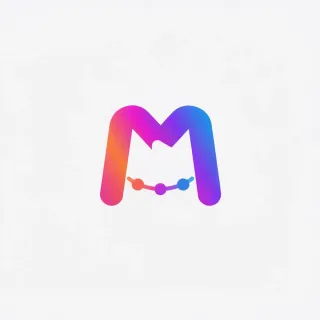
A spray of particles arcs around the stage and locks into the mark at about two seconds.
Colors: kept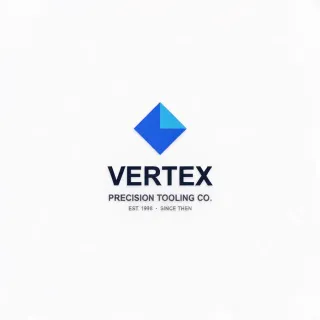
Symbol and name assemble first. The two small lines only appear about two seconds in.
Colors: kept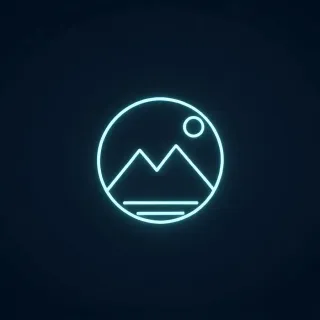
The drawing survived, the colors did not: dark teal on a light background ended as glowing cyan on navy.
Colors: changed
The ring lettering assembled from glowing grains and landed letter-perfect, with a warm vignette added.
Colors: keptLiquid morph
Flows in as liquid glass
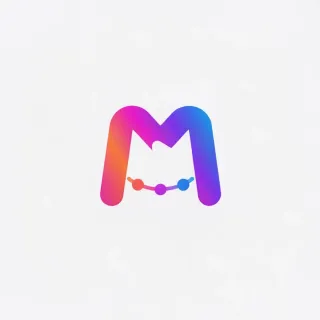
Opens on glass droplets over black silk, brightens by two seconds and lands on the flat mark.
Colors: kept
Letters form as blue glass. The digits in the tagline warped for a moment and were clean from three seconds.
Colors: kept
Shape and color came back, but as raised glass lines pressed into the surface rather than flat print.
Colors: kept
Every letter is correct, but the badge landed as an embossed plaque with a drop shadow.
Colors: keptSketch reveal
Drawn in pencil, then colored
A pencil outline on a blank page, then the gradient floods in at one and a half seconds.
Colors: kept
Letters were written in stroke order and never scrambled. All text was in place by two seconds.
Colors: kept
Sketched in pencil, then inked in the brand teal. The closest match to the file in the whole grid.
Colors: kept
Rings and lettering were drawn correctly, but the plain background became beige paper stock.
Colors: keptGlitch burst
Snaps in through noise
Colored streaks burst out of black, then the mark snaps in oversized and settles to size.
Colors: kept
Letters are correct from one and a half seconds. The opening streaks carry made-up, code-like characters.
Colors: kept
The fine strokes held. Edges stair-stepped for an instant at one and a half seconds.
Colors: kept
Starts on an extreme close-up of the bean, pulls back and lands flat.
Colors: keptWhat the grid says
- Logo with small text
- Choose line drawing or a light sweep. The sketch style wrote every letter in order, and the light sweep kept a small tagline readable from half a second in. Particles and liquid bring small type in last.
- Thin, one-color line logo
- Line drawing came closest to the file. Particles kept the drawing but re-lit it as neon on navy, the only render in the grid that changed the logo.
- Badge with curved lettering
- All four styles kept every letter. Liquid and sketch changed the finish, turning the badge into an embossed plaque or a drawing on paper.
- Brand colors
- 15 of 16 last frames came back in the file's own colors. The exception was particles on the thin line mark, re-lit as glowing cyan on navy. Backgrounds are another matter: three of the four test files were transparent, so the model picked the backdrop, mostly light gray but also navy, a warm vignette and beige paper.
- Why these styles drift
- They use your file as a reference, not as a frame, so the model decides when the logo appears and how the scene is lit. Styles that open on your logo, like the light sweeps and energy effects above, start from the real pixels and leave less to reinvent.
Try any of these on your own logo
Pick a card above to preselect its style, or choose one here. Rendering takes about a minute, and new accounts start with free credits.
Every clip on this page came out of the same logo animation AI that runs the studio above: one engine, the same export formats. Which of these styles loop without a visible jump at the restart is measured on the looping logo animation page.
FAQ
Logo animation examples, answered
See your own logo in motion
Upload the file you already use, pick the motion that fits it, and get a clip back in about a minute.