GIF Logo Maker
Upload your logo and AI turns it into an animated GIF you can export.
- Built from your own logo file
- Looping GIF or email signature GIF
- Every style here opens on your logo
Every style is guided to finish on your real file.
One render, two GIFs
Both come out of the same render, so you choose the size when you download, not before you generate. What differs is where each file is built to go.
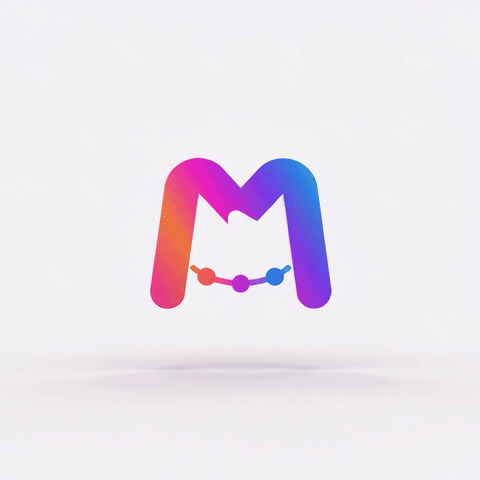
Standard GIF
- 480 px on the longest side
- 15 frames per second, up to 256 colors
- Loops forever
For chat apps, forums, slide decks and web pages that accept a GIF but not a video.
4-second render in our test: 2.91 MB
Email signature GIF
- 240 px on the longest side
- 10 frames per second, 64 colors
- Plays once, then rests on the last frame
For the signature block, where Gmail shows images at most 100 px tall and an animation that never stops pulls the eye away from the message.
4-second render in our test: 402 KB
Both images are the last frame of one 4-second 3D orbit render, shown at the same size. The email GIF gives up pixels, frames and colors for a file about an eighth the size; at signature size the difference is hard to spot.
How it works
How do you turn a logo into a GIF?
No timeline and no GIF editor. The animation is generated from your logo file, and the GIF is cut from that render when you download it.
Upload your logo
PNG, JPG, WebP or SVG. The color in your file's corners becomes the backdrop, so upload the logo on the background it will sit on — plain white for most email templates.
Pick a motion that opens on your logo
Every style on this page starts from your logo, so frame one still shows it in email apps that never play the animation. Choose 4 seconds for the lightest file.
Generate, then pick the GIF
Rendering takes about a minute. Open the download menu and take the standard GIF, the email signature GIF, or both.
How big is a GIF logo?
Bigger than the video it came from. We ran 21 four-second renders through the exact export settings: every standard GIF came out larger than its own MP4, and the email version cut that to about an eighth.
| Motion in the clip | Standard GIF · 480 px | Email signature GIF · 240 px |
|---|---|---|
| Logo stays whole: Cinematic reveal, 3D orbit | 2.7–2.9 MB | 380–400 KB |
| Sketch reveal | 2.5–3.2 MB | 360–500 KB |
| Glitch burst | 3.3–4.0 MB | 340–560 KB |
| Liquid morph, Liquid chrome | 3.5–4.7 MB | 430–610 KB |
| Particle assembly, Glass shatter, Ink bloom | 3.6–6.4 MB | 480–860 KB |
Square 4-second renders from the Standard engine, converted from the 960 × 960 master by the same export service that builds your download. Longer clips grow with every extra second of motion. Neither Gmail nor Outlook publishes a file-size limit for GIFs: Litmus recommends keeping email GIFs under 1 MB, and signature software vendors suggest 500 KB or less.
No motion compression
A video stores what changed between frames. A GIF can only skip pixels that stay exactly identical, and a rendered clip has fine grain in the backdrop, so nearly every pixel is written again in every frame.
256 colors, then dots
Each frame gets a palette of at most 256 colors. Gradients, glows and metallic light need more, so the encoder scatters dots to fake the shades in between — and that dither noise compresses poorly too.
How much of the frame moves
Particles and shattered glass change most of the picture in every frame; a light sweep across a still logo changes a strip. That is why one export setting lands more than twice apart from style to style.
The same 21 clips as MP4, WebM and animated WebP, and which format suits which placement, are compared in our animated logo file formats guide.
Why a GIF logo shows a blank square in Outlook
Some email apps never play the animation. They show the first frame and stop, so whatever is on screen at zero seconds is your signature for those readers.
| Email app | What your GIF does |
|---|---|
| Outlook for Windows 2007–2019 (one-time purchase) | Shows the first frame only |
| Outlook for Microsoft 365 and Office 2021 on Windows | Plays, pausing after three loops; first frame only if animations are turned off in Windows |
| New Outlook for Windows | No official documentation; users report signature GIFs appearing as a still image |
| Outlook on the web, Mac, iPhone and Android | Plays |
| Gmail, Apple Mail, Yahoo Mail | Plays |
Frame one of five renders, exactly as a first-frame-only email app shows it:
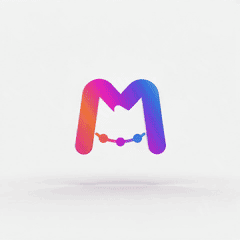
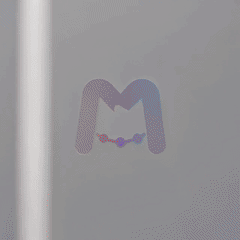
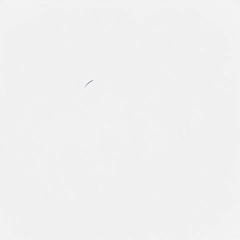
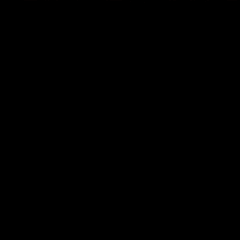
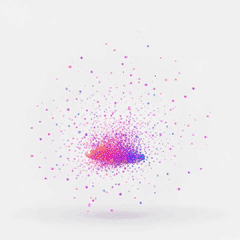
Keeping the logo whole is not enough on its own. In our renders, cinematic reveal usually opened in shadow and bounce pop dropped the logo in from off-screen, so frame one had no readable logo. Styles that build it out of particles, liquid or sketch lines start on an empty stage on purpose: striking in a video intro, a blank square in Outlook 2016. The generator on this page only offers styles whose first frame showed the logo in our tests.
Step-by-step instructions for new Outlook, classic Outlook, Gmail and Apple Mail, plus what to check when the GIF arrives frozen, are in our animated email signature guide.
Loop forever or play once?
A GIF settles this inside the file. A small loop setting tells the viewer how many times to repeat, and a GIF without one plays a single time.
Loop it for chat and the web
The standard GIF repeats until the page closes, so the restart is where problems show. The styles here are steered to close on your logo, but the backdrop and light can drift on the way. Measured on real renders, 3D orbit was clean in 12 of 19 and Gold shimmer in 4 of 7, 360° spin usually left a faint jump, and Soft float jumped in half its renders.
Play it once in email
The email signature GIF has no loop setting, so it plays when the message opens and then rests on its last frame: your logo. A loop seam never shows, and Outlook for Microsoft 365 stops looping GIFs after three plays anyway.
Watch the last second
Landing on your logo is a rule the render follows, not a guarantee it cannot break. Check the final second before a GIF goes into a signature everyone on your team will send.
Every style's restart, measured the same way, is on the looping logo animation page.
Can a GIF logo have a transparent background?
Only a hard-edged kind. A GIF pixel is either fully see-through or fully solid, with nothing in between, so the soft edge that makes a logo look smooth has to be blended into one background color first.
Why transparent GIFs get halos
Blend the edge into white and it shows a pale fringe on a dark email. Skip the blending and curves turn jagged. Neither survives a change of background.
What you get here
By default both GIFs are solid: your logo sits on a backdrop that fills the whole frame. Paid plans can turn on Transparent background before rendering: the clip is animated on a green screen, and the green is keyed out when you download. In a GIF the edges come out hard-cut, because the format allows nothing in between. For a soft edge, download the same clip as WebM, WebP or MOV. Transparent background needs a logo file with a transparent background, and works with 360° spin, Soft float or your own description.
Match the backdrop to where it goes
The render starts from the color in your logo file's corners; a transparent PNG gets a near-white studio tone instead. In our test a logo on pure white came back on #F9F9FC, a shade off white, so put the GIF on a white or very light background.
GIF is one export of our AI logo animation maker — the same renders also download as MP4, WebP and WebM. Want the mark turning as a solid object? Spinning logos have their own 3D logo animation page. Particles, liquid and the other reveal styles are on the logo animation examples page — they suit a video intro better than a signature.
FAQ
GIF logos, answered
Put your logo in every inbox
One upload, about a minute of rendering, and a GIF sized for where it is going.